
How to compress a profile photo under 20 KB
Use a repeatable crop, resize, and export workflow for strict photo uploads while keeping the face and other details readable.
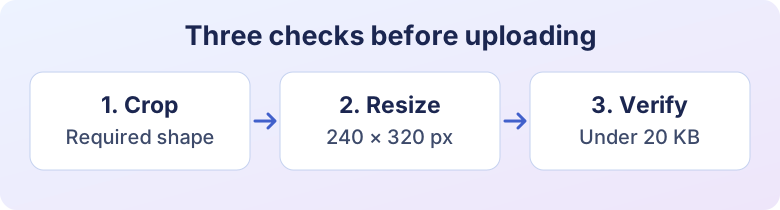
Open Image CompressorStart with the upload instructions. A 20 KB cap tells you the maximum file size, while the form may separately require a pixel width, a specific crop, or a JPG extension. A square photo can meet the byte limit and still fail a portrait-only form. Write down all the requirements before changing the image.
Start with a good crop
Open Crop Image and frame the subject with the margins the recipient asks for. Work from the original photo rather than a copy that has already been compressed several times. If the upload specifies 240 × 320 pixels, use the same proportions in the crop, then set the final dimensions with Image Resizer. Keeping the aspect ratio avoids stretching the face.
Leave space below the limit
Open the resized copy in Image Compressor. Choose JPG if that is what the form requires, and try a target such as 18 KB. Check the saved file’s actual size instead of relying on a rounded preview. The same quality setting can produce different file sizes on two photos, so test the final file for each person.
Zoom to normal viewing size and look at the eyes, the outline of the face, and the boundary with the background. If the export is under the limit but looks patchy, start with an evenly lit source that has a simpler background. You can also increase the target slightly if the file still fits. Avoid removing details that the recipient needs.
Troubleshoot a rejected upload
If the portal rejects the smaller copy, check the extension and actual format, both pixel dimensions, and whether you selected the original accidentally. Renaming a PNG to end in JPG does not convert the image. If the form requires fixed dimensions, keep them fixed and adjust the export instead. If the smallest readable version still exceeds the cap, check whether the instructions allow a different format or a different submission method.
For larger limits and less restrictive forms, see our general photo upload workflow.
Ready to try it?
Image Compressor is free to use and runs in your browser.
Try Image Compressor