
A practical guide to converting PDF, images, and spreadsheet data
Pick a conversion based on whether the recipient needs readable text, a visual copy, a smaller upload, or structured data.
Open Image ConverterChanging the file extension is not a conversion. A useful export changes the representation while preserving the part the recipient needs. Start with the destination’s accepted formats and ask which information must survive.
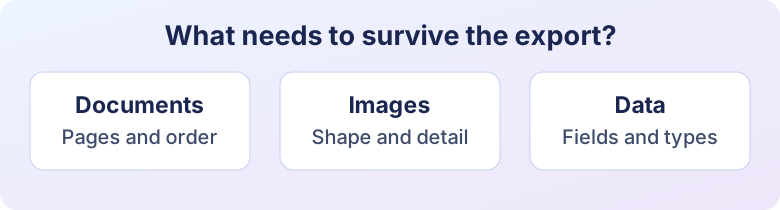
Decide what to keep
| Source and goal | Start with | Check the output |
|---|---|---|
| Several phone photos as one attachment | JPG to PDF | Page order and legibility |
| A HEIC image for a JPG-only form | HEIC to JPG | Dimensions, orientation, and size |
| Text from a selectable PDF | PDF to Text | Reading order and characters |
| Spreadsheet rows for an API | CSV to JSON | Header names, identifiers, and field types |
Try a small copy first
For a spreadsheet export, convert a few representative rows before processing the full file. Include a quoted comma and an identifier with leading zeros. Check how the output represents them. For a document, choose one page with a table or notes. Opening the finished file on the target device tells you more than trusting an extension.
For an image, keep the original and compare exports at the same dimensions before deciding based on bytes. Image Converter is useful when format is the main decision. If the image also needs a new shape, crop first so you can check the final subject position.
Avoid needless passes
Repeatedly converting a lossy image can reduce detail. Keep a master copy and generate each requested export from it. If the destination already accepts the source format, check whether conversion solves a real problem. A well-formed original may be easier to read and maintain.
See PDF text recovery for scanned pages and the CSV conversion walkthrough for field types.
Ready to try it?
Image Converter is free to use and runs in your browser.
Try Image Converter