
How to check a PDF before sharing sensitive information
Check pages, selectable text, comments, and hidden information in the copy you intend to share.
Open PDF to TextA PDF can show a clean-looking page while retaining text underneath an overlay, comments, attachments, or metadata. Begin by confirming which fields the recipient needs. If they accept a smaller set of pages, a narrower document is easier to inspect.
Identify where the information lives
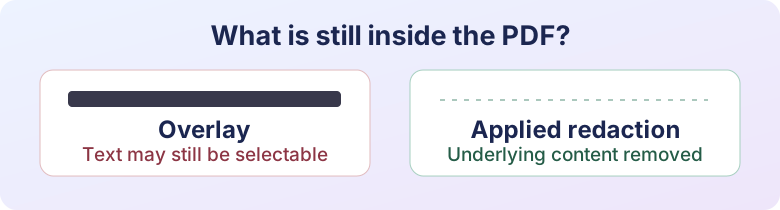
Look for personal details in the visible page, then see whether you can select or search for them. An OCR layer can make a scanned document searchable even when the page looks like a photograph. A rectangle added on top of text can conceal it from view while leaving it available to a parser. Use a tool that applies redaction to the underlying content and can remove hidden information. Adobe’s redaction walkthrough explains that distinction.
Make the smallest share copy
If the recipient wants two pages from a longer file, use Extract PDF Pages to create a working copy. Inspect the selected pages before processing anything else. Extraction removes whole pages from the output, but does not redact details within those pages or guarantee removal of every type of hidden data.
Save the redacted export under a different name. Open it in another PDF viewer and try searching for the removed terms. Run PDF to Text as a second check of selectable content. Also inspect the pages at normal zoom and review file properties, comments, and attachments. A text search by itself cannot check everything in an image or in hidden content.
Use the right file for the request
For an identity check, ask whether a redacted copy is accepted before changing the document. If the recipient requires an unmodified copy, use its official channel. For a public share, use a version specifically prepared and reviewed for publication. PDF Metadata Editor can check common document fields, but editing metadata is separate from redacting page content. See the local versus online processing guide for how to choose where to do the work.
Ready to try it?
PDF to Text is free to use and runs in your browser.
Try PDF to Text